AI Credits That Multiply by the Seat
Some vendors publish AI credits per plan and others publish them per person. The second kind makes a small team look generously supplied and a large one look cheap.
This article is a documentation review: it is based on the vendors' own published pages, checked on the date shown. We may earn a commission from some links; it never affects what we recommend.

Two pricing pages can print the same credit figure and mean wildly different things. One means the whole workspace gets that many a month. The other means every person you add gets that many, and the bill grows with them.
Airtable and Miro both use the second form, and both publish enough detail to work the arithmetic. The result is a credit line that looks generous on a small team and becomes the dominant cost on a large one.
Every figure below was read on the vendors' published pricing pages, checked October 31, 2026.
Airtable grants credits per paid user
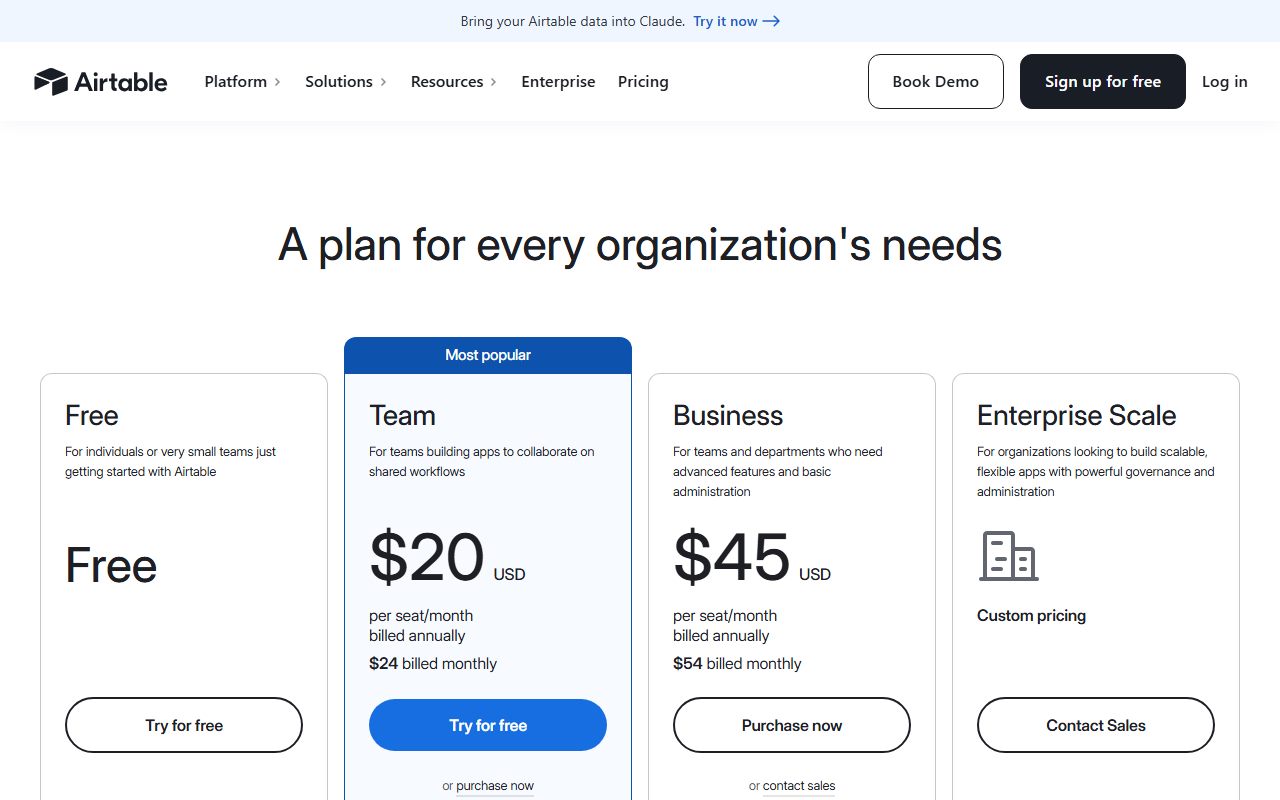
Airtable lists four tiers. The free plan states "500 AI credits per editor each month", alongside unlimited bases, 1,000 records per base, up to 5 editors and 100 automation runs.
The paid rows change the wording from editor to paid user. Team is "$20 USD per seat/month billed annually" with "15,000 AI credits per paid user each month".
Business is listed at $45 per seat a month with "20,000 AI credits per paid user each month". Enterprise Scale is contact-sales, with "25,000 AI credits per paid user each month at list price".
Read the free tier the same way and the ceiling is small. Five editors at 500 credits each is 2,500 credits a month for the whole workspace, by editorial calculation from the published limits.
The top-up pack that costs as much as a seat
Airtable also sells credits outright. The page lists "AI credits available in packs of 10k, 20k, 50k, 100k, 200k credits" and prices them: "Starts at $20/month for 10k credits".
Set that against the Team seat. A Team seat is $20 a month and brings 15,000 credits. A 10,000-credit pack starts at the same $20 a month and brings 10,000.
So on the Team plan the cheapest published top-up is worse value than simply adding a person, at least on the credit line. Whether you need the person is a separate question.
Across the paid tiers, credits per dollar also drops as you climb. Team is 750 credits per dollar of monthly seat price and Business is about 444, by editorial calculation.
That inversion of the usual volume discount shows up often once you look for it. It is the same shape as the seat ladders in what Notion AI adds to a seat.
Miro changes the denominator between tiers
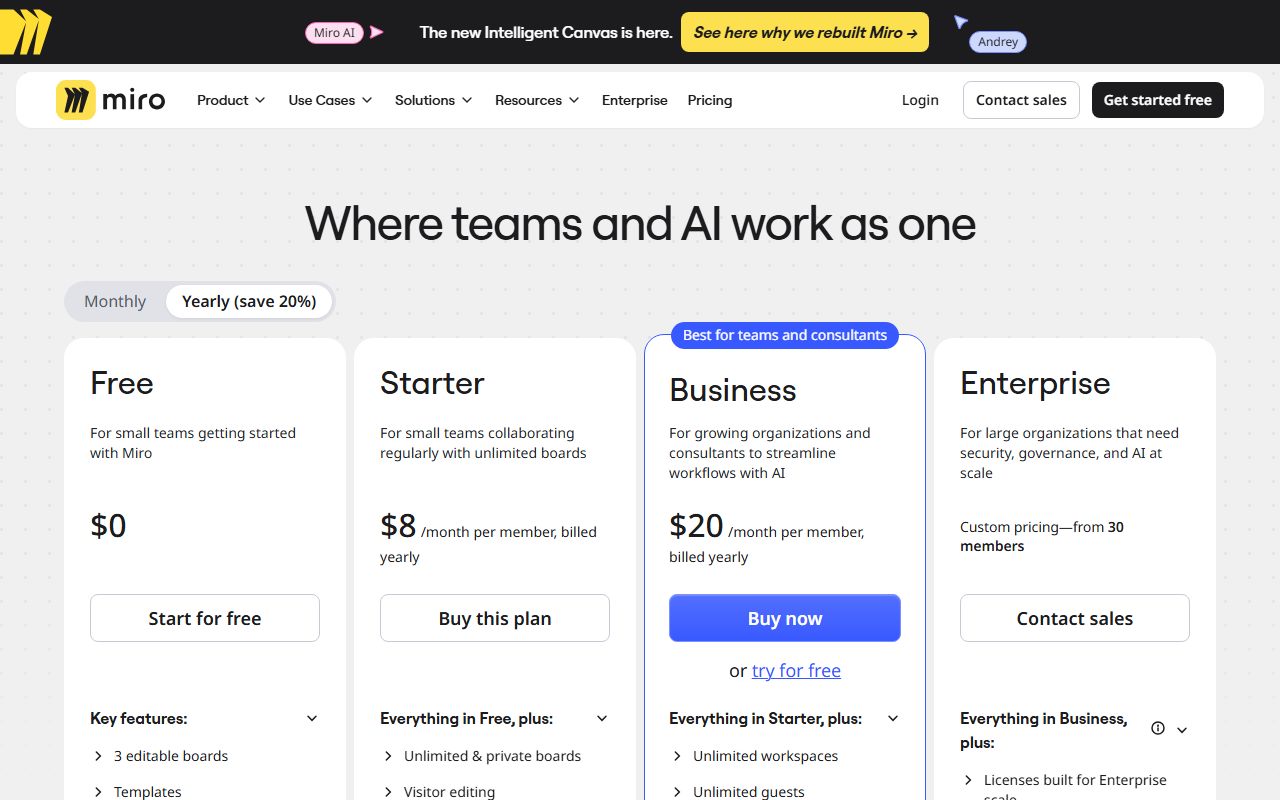
Miro's page is the clearer example of why the denominator matters, because it moves. The free row reads "10 Miro AI credits/month per team".
One tier up, the unit changes. Starter is listed at "25 AI credits/member/month" and Business at "50 AI credits/member/month". The word team becomes member between two adjacent rows.
Enterprise is quoted as a floor rather than a rate: "Starts from 2500 credits per month". The page explains that the "Number of credits scales with your seat count and pools org-wide".
So a reader scanning the column sees 10, 25, 50 and 2500 and may conclude the allowance grows 250-fold. In fact three of those four figures are measured against different denominators.
Miro publishes what a credit does, which is rare
The more useful thing on Miro's page is the translation from credits into work. Most vendors refuse to give one, as the tooling round-up in how to read an AI credit pricing page sets out.
Against the Starter row, Miro writes: "That's about 12 document summaries, or 5 diagrams, tables, and more - every month for each member of your team."
Against Business, it writes: "Use credits across the full AI suite, including prototypes and slides. About 10 prototype screens or slides per member each month."
Those are estimates, not guarantees, and the hedging words are the vendor's own. But they let a reader test the plan against a real month of work rather than against a number.
By editorial calculation from Miro's own figures, 25 credits buying 12 summaries puts a summary at about 2 credits, and 5 diagrams puts a diagram at 5. The gap between those two rates is the thing to budget for.
How to read a per-seat credit line
The test is short. Find the denominator before you compare anything, then multiply by your real headcount, not your licensed headcount.
- Check whether the figure says per team, per member, per editor or per paid user. Those are four different numbers.
- Multiply by the people who will actually use the AI, since quiet seats waste their share.
- Ask whether the pool is shared. Miro says credits pool org-wide; Airtable's wording is per paid user.
- Compare the cheapest top-up pack against the cost of one more seat before buying either.
- Look for a published credit-to-action rate. Miro gives one, Airtable does not on the page read here.
Pooling matters most. A pooled allowance lets one heavy user spend a quiet colleague's share, which is usually what a team wants. A strictly per-person allowance strands credits on people who never open the AI panel.
Neither page read here states whether unused credits survive the month. That question is collected across vendors in do unused AI credits roll over.
Frequently asked questions
How many AI credits does Airtable include?
The pricing page lists 500 AI credits per editor each month on the free plan, 15,000 per paid user on Team, 20,000 on Business and 25,000 on Enterprise Scale at list price. Checked October 31, 2026.
What does an Airtable seat cost?
The page lists Team at $20 USD per seat a month billed annually and Business at $45. The free plan is free with up to 5 editors. Enterprise Scale is contact-sales with no price on the page.
Is buying an Airtable credit pack cheaper than adding a seat?
Not on the Team plan, by editorial calculation. Packs start at $20 a month for 10,000 credits, while a $20 Team seat carries 15,000 credits a month. Packs come in 10k, 20k, 50k, 100k and 200k sizes.
How many AI credits does Miro include?
The page lists 10 Miro AI credits a month per team on the free plan, then 25 AI credits per member per month on Starter and 50 per member per month on Business. Enterprise starts from 2,500 credits a month.
What can 25 Miro AI credits do?
Miro's own wording is "about 12 document summaries, or 5 diagrams, tables, and more" per member each month. On Business it describes 50 credits as about 10 prototype screens or slides per member.
Do per-seat credits pool across a team?
Miro says they do, stating that the number of credits scales with seat count and pools org-wide. Airtable's wording on the page read here is per paid user each month, and it does not say whether the pool is shared.
Bottom line
A per-seat credit line is not a plan limit, it is a multiplier. Until you multiply it by your own headcount, the figure on the page tells you nothing about whether the plan fits.
Where a vendor publishes what a credit buys, use it. Where it does not, treat the allowance as unknown rather than large, the same caution worth applying in what AI image credits actually buy.
For the per-action version of this question, see Browse AI credits and GitHub Copilot AI credits. For the billing cycle, see what annual billing really saves.
Sources
- Airtable pricing page, plan prices, per-user AI credit figures and credit packs (checked Oct 31, 2026)
- Miro pricing page, per-team and per-member AI credit lines with usage estimates (checked Oct 31, 2026)